Skip to product information
1 of 6

JetKVM

JetKVM – Control any computer remotely

JetKVM – Control any computer remotely

Brand
JetKVM
Non-PoE
$103.00 In stock
PoE
$119.00 Sold out
Overview
JetKVM is a compact IP KVM for remote server management. Access BIOS, reboot systems and control computers remotely from anywhere.

Tags:

  • JetKVM
  • Kickstarter
  • Open-source
  • Tailscale
  • VPN
  • Wake on Lan
  • Remote Control
  • ISO Mount
  • Remote Access
  • Amazon
  • JetKVM Cloud

102 total reviews

Regular price $103.00 USD
Regular price Sale price $103.00 USD
Sale Sold out
Shipping calculated at checkout.
Model
Quantity
⚠️
JetKVM Y-Cable Notice
Y-Cable will no longer be included with JetKVM by default.
The Y-Cable is now offered separately for users who require it.
Click here to purchase
🎁
Wholesale & Commercial Order
For wholesale pricing, bulk order purchases, partnership opportunities, or commercial orders, please contact us at service@ikoolcore.com
  • Visa
  • Mastercard
  • American Express
  • Apple Pay
  • Google Pay
  • PayPal
  • JCB
  • Discover
  • Country of origin

    China

  • Processing time

    3-5 Business Days

  • Warranty

    One-Year Limited Warranty

  • Shipping

    Calculated at checkout Shipping policy

  • Returns

    Refund policy

View full details

iKOOLCORE / JetKVM

Control Any Computer Remotely

A compact open-source KVM over IP device with hardware-level access, low-latency video, free cloud access, and room for power-control expansion. Built for IT teams, developers, and homelab owners.

Sold and supported by iKOOLCORE

Official Stock No marketplace or gray-market units 1-Year Warranty Hardware support handled by iKOOLCORE Worldwide Shipping Options calculated at checkout Direct Support Talk to our engineering team
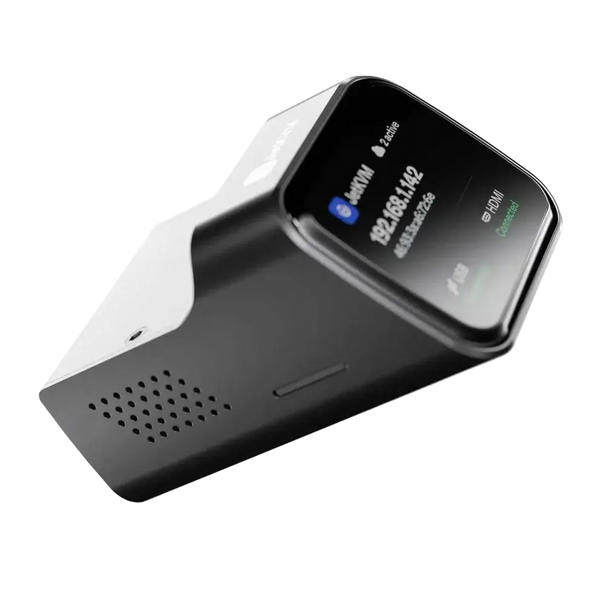
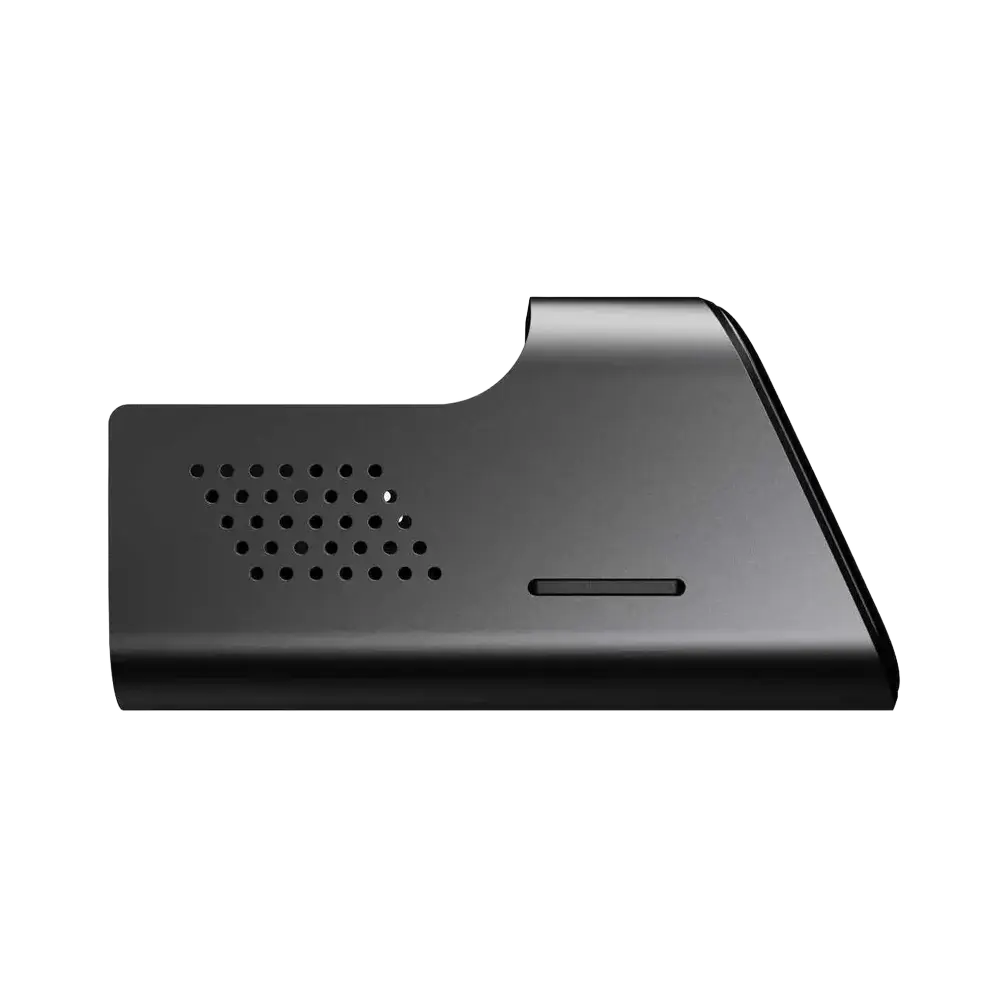
JetKVM open-source KVM over IP device angled view

JetKVM hardware refresh

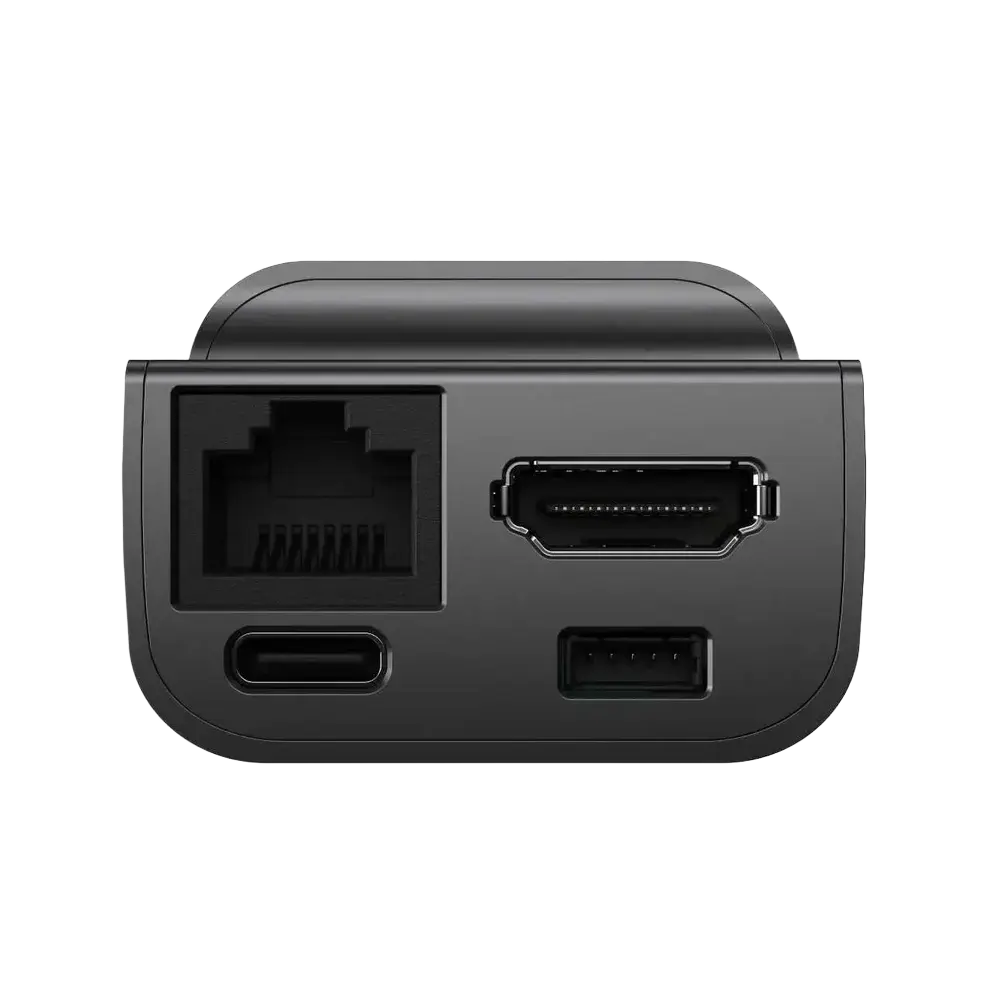
The current model includes 32 GB microSD storage, a full-size HDMI input, and a dedicated 5-pin extension port. Choose Non-PoE ($103) or PoE ($119) from the variant selector above.

What Is the JetKVM KVM over IP Device?

JetKVM is an open-source KVM over IP device that plugs in between a computer and its display to provide remote keyboard, video, and mouse control at the hardware level. It keeps working during BIOS startup, OS failures, and other states where standard remote desktop software cannot help, making it a practical option for remote server management, home lab support, and IT maintenance.

JetKVM KVM over IP

  • Works before the operating system loads, including BIOS and boot failures
  • Requires no agent or driver on the target computer
  • Provides OS-independent keyboard, video, and mouse control
  • Supports optional ATX and DC power control extensions

Standard Remote Desktop Software

  • Requires a running operating system and a working network stack
  • Needs an application or agent installed on the target device
  • Cannot recover a failed boot, BIOS misconfiguration, or kernel panic
  • Has no native hardware power cycling capability

Why Use JetKVM for Remote Server Management?

Traditional out-of-band management can be expensive and complicated. JetKVM puts reliable remote access between the monitor and computer, even when the operating system is offline.

01

Remote BIOS-Level Access

Control the screen, keyboard, and mouse even while the machine is booting or stuck. Troubleshoot kernel panics, change BIOS settings, or reinstall the OS from anywhere.

02

No Target Software Required

JetKVM works at the hardware level, so there are no agents or drivers to install on the controlled computer. It works with Windows, macOS, Linux, and BSD.

03

Low-Latency Video

Stream 1080p video at 60 FPS with hardware-encoded H.264 and 30-60 ms latency for responsive keyboard and mouse control.

Key Benefits

✓Manage computers without being physically present
✓Ideal for servers, workstations, home labs, and IT maintenance
✓Reduce travel time and speed up remote troubleshooting
✓Open-source firmware that can be customized with SSH access
✓Free WebRTC cloud access with no port forwarding required

JetKVM Key Specifications

The core hardware features of the current iKOOLCORE JetKVM model.

1080p @ 60 FPSH.264 hardware encoding
30-60 msTypical stream latency
32 GB microSDCurrent-model storage
Full-size HDMINo mini-HDMI adapter needed
5-pin extensionDedicated add-on connector
Any OSWindows, macOS, Linux, BSD

How to Set Up and Use JetKVM

1. Connect and Power

Connect the controlled computer to the full-size HDMI input, then power JetKVM with the included USB-A to USB-C cable or a standard 5 V adapter. The PoE model can also receive power and data through one Ethernet cable.

1Connect HDMI

Attach the computer or server to the JetKVM HDMI input.

2Apply Power

Use the included USB cable, standard 5 V adapter, or PoE on the PoE model.

Important: Only use a standard 5 V adapter. Do not use USB-C PD chargers with voltage negotiation; higher voltage may damage the device. This damage is not covered under the iKOOLCORE warranty.

2. Enable JetKVM Cloud Access

JetKVM Cloud uses WebRTC with DTLS/SRTP encryption and a Zero Trust authentication model so you can reach the device without port forwarding.

1Open Locally

Browse to the local IP address shown on the JetKVM screen.

2Enable Remote Access

Open Settings and turn on Remote Access.

3Authenticate

Sign in with Google OIDC. The device verifies the request.

4Manage Remotely

Continue in the JetKVM Cloud dashboard.

3. Update Firmware

Firmware updates add features and security fixes. The interface downloads the signed release and installs it directly on the device.

1Open Interface

Load the JetKVM web management interface.

2Find Updates

Go to General > Check for Update.

3Download

Click Check for Updates and confirm the release.

4Restart

Wait for the reboot and keep power connected.

Need connection or firmware help? See our JetKVM troubleshooting guide and support downloads.

4. Tailscale VPN Access

Tailscale creates a private WireGuard mesh for secure remote access without opening ports. It is available as an optional setup for users who need another access path.

Show the Tailscale installation command

Run from your local computer after adding your SSH key in Settings > SSH Keys:

curl -fsSL https://jetkvm.com/install-tailscale.sh | sh -s -- <jetkvm_ip>

JetKVM Accessories and Extensions

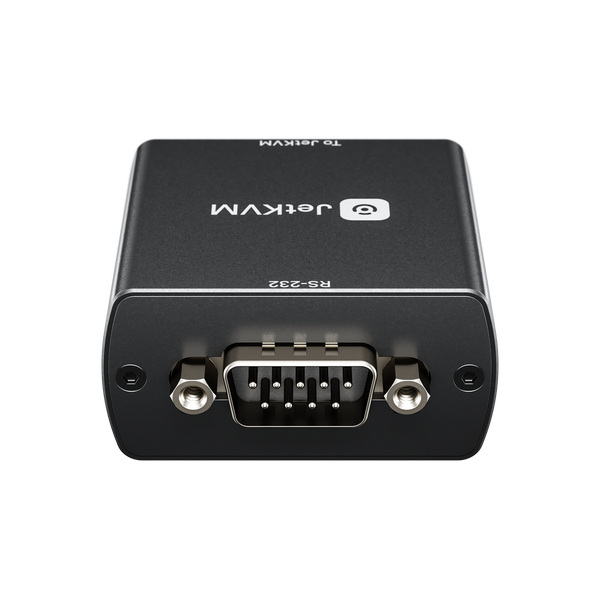
Use JetKVM add-on boards to control server power, ATX machines, and serial consoles from the same KVM over IP interface.

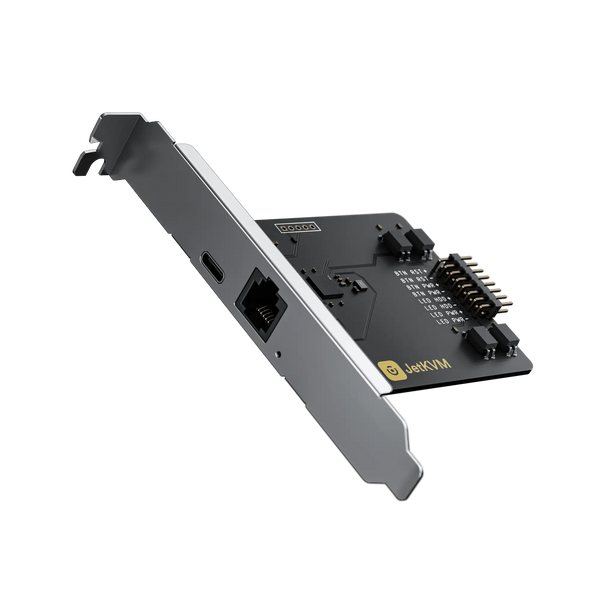
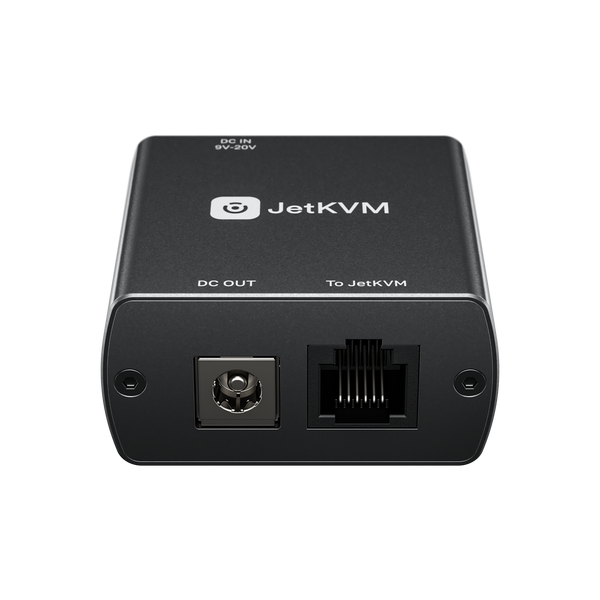
JetKVM ATX extension board for remote power control ATX Extension BoardPower, reset, and status control for ATX systems.Shop ATX extension JetKVM DC power control extension for KVM over IP DC Power Control ExtensionRemote power cycling for mini PCs and NAS devices.Shop DC extension JetKVM open-source KVM over IP device angled view More JetKVM AccessoriesSee cables, extensions, and JetKVM-compatible add-ons.Browse the collection

Who Should Use JetKVM KVM over IP?

From single workstations to multi-node infrastructure, JetKVM keeps you in control when the host machine needs help.

IT Professionals

Manage servers and workstations without on-site visits, reducing downtime and response time.

Home Lab Enthusiasts

Reach Proxmox, TrueNAS, pfSense, and experimental hardware from any location.

Software Developers

Debug boot failures, flash firmware, and manage headless CI/CD nodes remotely.

Open-Source JetKVM Firmware

JetKVM firmware is open source, built with Go and TypeScript on Linux. SSH access lets you customize the web interface and system behavior.

Go + TSFull Stack
WebRTCEncrypted Remote Access
30-60 msStream Latency

JetKVM KVM over IP FAQ

What is a KVM over IP device?

A KVM over IP device provides remote keyboard, video, and mouse control by connecting directly to the target computer's video and USB ports. Because it operates at the hardware level, it can be used before the operating system loads and during boot failures.

Does JetKVM require software on the target computer?

No. JetKVM acts as the keyboard, mouse, and display from the target computer's perspective, so there is no agent or driver to install on Windows, macOS, Linux, or BSD.

Can JetKVM control a computer before the OS starts?

Yes. Remote BIOS-level access is one of the main uses for JetKVM. You can change boot options, enter the BIOS, troubleshoot a kernel panic, or reinstall the operating system while physically away from the machine.

How does JetKVM provide internet access?

JetKVM Cloud uses WebRTC with DTLS/SRTP encryption, so the device can be reached without port forwarding. Tailscale is also supported for users who prefer a private WireGuard mesh network.

Which JetKVM accessories are available?

The JetKVM collection includes ATX and DC power control extensions, cables, and other accessories for remote server power cycling and expanded management.

Is JetKVM covered by a warranty?

Yes. JetKVM purchased from iKOOLCORE includes a 1-year hardware warranty. See the JetKVM warranty policy for coverage details.

JetKVM Warranty, Support, and Downloads

Your JetKVM is covered by iKOOLCORE support from order to firmware troubleshooting. Use the links below for warranty details, resources, or direct assistance.
  • 5 stars: 79 (77%)
  • 4 stars: 7 (7%)
  • 3 stars: 4 (4%)
  • 2 stars: 6 (6%)
  • 1 star: 6 (6%)
G
GB
Really great

does exactly what it's supposed to do, and very well at that. Very nice UI, moden, Tailscale support works very nicely. ATX board connection was a bit fiddly but got it working at the end. Would've been nice if the ATX pin headers would have names on the cables.

J
Jeff Ashmann
Great device for my home lab

Great device for my home lab. I’ve had to use it a few times in emergency situations. It worked exactly as expected, stupid easey to connect and very secure via my vpn. Honestly, it’s hard to believe it was so inexpensive, and very I’m extremely happy with how quickly it was delivered. Great purchase and highly recommend!

A
Arjan den Burger
My JetKVM was lost in the delivery process and

My JetKVM was lost in the delivery process and iKookCore didn't solve that. They also were not willing to send a replacement. So I lost my money and i am left empyhanded. So thanks iKoolCore for a marvelous service and excellent client friendlyness.

We sincerely apologize for any inconvenience. After checking the shipment details, we found that your package is marked as successfully delivered by DHL. Your tracking number is 3SWLT0038175204, and you can check the delivery status here: https://www.dhl.com/us-en/home/tracking.html?tracking-id=3SWLT0038175204. If you have not actually received the package, we recommend contacting your local DHL office to open an investigation. According to our shipping policy, for packages marked as delivered but not received, the buyer must obtain official documentation from the local carrier confirming that the package is lost. Once you have obtained this documentation, please contact our customer support team, and we will be happy to assist you with a replacement or refund. Thank you for your understanding and cooperation.

B
Brad C.
Fantastic device

Works as described and very easy to use.

J
Jhon
Defective Mini-HDMI Port

Writing a final review after contacting customer service and getting nowhere. Do your research into the known issues of this equipment hardware before you buy it.

2 stars because the device was useful from March to August 2026.

-3 stars because of the poor build quality of the display port (Mini HDMI). It broke during the fourth month of use.

As someone who works as an IT technician, I would not recommend this product if you plan to use it on the fly, meaning you need to plug and unplug it regularly rather than leave it permanently installed.

With normal use, plugging and unplugging the Mini HDMI, the port eventually failed and completely came off the board. Look it up; this appears to be a common issue.

The only way I would recommend using this device is to install it in one place and never disconnect the Mini HDMI cable. Even then, there is still a risk that the HDMI port could eventually break. Even then, it will end up breaking, if you have an actual accident because it can not take normal wear and tear.

There more alternatives to this product that have better build quality. so, in all honesty, I can't really recommend it anymore.

H
Hans Baumeister
Game changing!

Absolutely my favorite tool right now. Plug and play, works just fine with zero hiccups. Highly recommended.

J
Jason Gallas
Just what I needed

I was considering this for a long time but then saw that the PoE version was coming soon so I waited and I am glad I did. Super easy to connect it to my existing Unifi PoE switch and love the mini display with the IP info and an indicator that the USB and Video are connected.

B
Baptiste Wicht
Very nice remote KVM for my servers

I have replaced an older local-KVM system with these JetKVM systems, and I am very happy about it. The installation is extremely simple and works great. The only downside is that the cables included should be much longer.

C
Cole
Working perfectly with Mac Mini!

I was a bit worried about compatibility issues with my M4 Mac Mini, but it’s working perfectly.

Thanks!

M
Mangel Maxime
Awseome deveice

I needed a KVM able to remotely access my machine before disk decryption happens, and this is allowing to do just that.

T
Teo
Perfect KVM

Absolutely brilliant and now with sound and full size hdmi port works a treat

R
Robin McDonald
Works Great. Love It.

I ordered one. Within a week of using it, I ordered a second one for another Linux box. Great product.

F
Frank
I‘m loving it

Greetings from Germany, it‘s an awesome product. I love it!

O
Orlon
Perfect solution

Great device to allow access to our instrumental systems in the remote back waters of the . Perfect for controlling our instrumental platform when moved from site to site including the power control for the data PC.

J
James McClain
Causes network issues

I have tried using on main network and a isolated management, LAN after a few minutes it starts to flood my network with broadcast and shuts it down.

N
Nick
great kvm

Just a great kvm, works really well.

A
Alexander Holse
Just lovely

Wish there were stock for the poe version however

j
jetkvmsux4theprice
honestly I regret my purchase

They only connect to like 1 out of 10 HDMI devices, and the "splitter" is complete bullshit.

A USB c splitter doesn't even logically make sense and it also only works in select devices. Forget about powering with USBC despite it actually being usbc

Y-Cable will no longer be included with JetKVM by default. Compatibility may vary between different USB chargers. To help prevent power-related issues and unnecessary refund disputes, the Y-Cable is now offered separately for users who require it.

A
Anonymous
Update: Product missing a cord

The cord is now added to the website to be purchased separately. It is priced adequately but shipping price is high. That said, if you purchase the ATX expansion board, the cord will now be included with the purchase, so no need to purchase separately. Thanks to Sammy from the customer service team for helping me with this purchase.

As explained in our previous email, the latest 5-pin to RJ11 cable for the microSD/TF card version is included only with the ATX expansion board or DC expansion board and is not part of the standard JetKVM package.

Therefore, your JetKVM order is complete and no cables are missing.

T
Tobias S.

Insanely good price performance ratio! Does exactly what it needs to do, and does it extremely well

M
Mika
Excellent little feature packed KVM device

Excellent and well built little big KVM device. Easy to take into use, has all the features one would need for this category of device. Can't recommend enough.

A
Alexander Ball
Extremely surprised and happy

I’m extremely happy with this and it makes accessing my machines much easier! Setup was nearly scary easy. Plug and play.

R
Roland Koehler
Perfect!

Device does exactly what it should, very easy to setup and handle

D
Douglas Cockburn
Very satisfied

Was impossible to find locally. Ordered on line. Functions as advertised. Very satisfied with device and packaging. Not the quickest delivery but totally understandable as it was coming from China. Patience!

R
R66

Top

V
Vinko
jetKVM works like a charm, ATX board less so

The jetKVM has worked for me like a charm so far, no issues setting up, reliable and wildly useful for my use case. The ATX extension board, on the other hand, I couldn't get to work no matter what I tried. Still sitting around lifeless... Luckily jetKVM UI has a Wake-over-LAN switch and could make that workaround work...

G
Gregory Barron
Cool Device

I like how I do not need to create a cloud account like other brands. Worked like a charm.

M
Matt
barely decent

The input is drastically lagged (even on a 1Gb LAN). This makes using the mouse difficult. The video quality is rather poor and its difficult to read smaller text. The USB power splitter doesn't work (this seems to be a common issue)

E
Ervin Robert Bagyinka
One Job

And it does it perfectly

S
Steve
Very well built and extremely useful

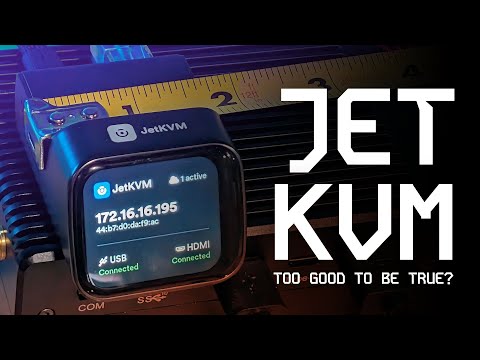
I watched many YouTubers promoting this over time, and it seemed too good to be true.

But indeed, it holds all its promises to the point that I consider it to be a must-have tool.

Amazing

M
Michael Nitsche
Great Stuff

can strictly recommand it.